













































































































×

iFour Logo

Our Customer

Enagic
Biocon
Diligent
TBWA
WGE Equipment Solutions
Spearity
Stand Up
LOEK
LedgerLeopard
The Floow
Move4U
Tagologic
Inimco
NetSourcing
Airport Parking
AMC Technology
WCPRO
Manning Audiology
Old Bar
Health Four
Progrestro
Kos Inc
Kiwanis
CNC Physio
Dharma
 

Duration & Pricing

Pricing

What to expect

Deliverables
  • Secure migration of business data to Microsoft 365
  • Email, file, calendar, and contact migration
  • Customized migration planning, execution, and Roadmap
  • Identity and access mapping
  • Support for advanced and hybrid migration scenarios
  • Pre- and post-migration validation
  • Complimentary 1-hour Microsoft 365 Migration Planning Bootcamp
  • Post-migration support and optimization guidance

Duration

01

Varied with Migration needs

Pricing

02

Starting from USD $25 per user

Pricing (Basic and Advanced Package):
Updated

In the Basic Migration Package, the Price per mailbox begins from USD $25 per user

Number of Mailboxes Price per Mailbox (USD)
Up to 5 mailboxes $25
6 to 10 mailboxes $23
11 to 50 mailboxes $20
51 to 100 mailboxes $17
101 to 200 mailboxes $15
200+ mailboxes Contact us
What’s Included in the Basic Package:
Mailbox migration (emails and folders)
OneDrive or Google Drive data migration
Calendar migration
Contact migration
Advanced / Custom Migration:

For more complex or enterprise-level requirements, pricing is quote-based and depends on:

Migration complexity
Business-specific customization
Environment setup
Required support scope

What Happens in This Service Workshop?

Every migration starts with understanding your current setup and your business goals.

  • Step 1 – Understand your current setup

    Our experts understand your current setup, including your email platform, user accounts, stored data, and any unique business requirements.

  • Step 2 – Build a Migration Plan

    We create a customized migration plan, outlining the approach, timeline, key milestones according to your current requirements.

  • Step 3 – Preparing for Migration

    Before moving any data, we help your setup by reviewing permissions, organizing data, configuring migration tools, and addressing any special requirements.

  • Step 4 – Managing the Migration

    Our team handles the migration from start to finish and makes sure that everything works smoothly and stays on track.

  • Step 5 – Validate and Support

    After migration, we verify data integrity and help ensure users can access their information successfully.

What You Receive

Securely migrated user data

Emails, calendars, contacts, and files transferred

Migration planning documentation

Guidance for custom migration scenarios

Identity and permission alignment support

Migration status reporting

Post-migration validation

A free 1-hour Microsoft 365 migration planning session

Recommendations for future Microsoft 365 optimization

Important Notes

Teams history not supported

You can’t move chat messages or file history from Microsoft Teams.

Azure GitHub limited

Migration is still experimental and depends on what access permissions you have.

Explore Other Offers

Service Helps

How This Service Helps Your Firm:

A well-planned migration can help you move data from one platform to another.

This service helps your business by:

  • Minimize downtime — Careful planning reduces disruption.
  • Clean data — Remove duplicates and outdated files.
  • Secure access — Map identities and permissions safely.
  • Enable growth — Microsoft 365 scales with your firm.
  • Reduce risk — Expert guidance avoids pitfalls.
  • Save IT time — Team stays focused on daily work.
call to action

Your business can’t afford migration mistakes. Get it right with secure, expert-led execution.

Who Should Use This?

This workshop is ideal for:

  • IT Managers overseeing modernization initiatives

  • System Administrators responsible for business applications and data

  • CIOs evaluating cloud adoption strategies

  • Digital Transformation leaders planning workplace modernization

  • Organizations consolidating information across multiple platforms

  • Businesses preparing for a company-wide technology upgrade

Solution

Start here — it only takes a minute

Consultant Free Consultation

Need Help for Customization?

  info@ifourtechnolab.com

   +1 410 892 1119 / +91 95375 81301

  ifourtechnolab.com

Client Success Stories

See how we've transformed businesses with Azure cloud solutions

Our Portfolio

Take a look at our latest projects, where digital transformation comes to life.

01/06

Frequently Asked Questions

We can migrate emails, calendars, contacts, and files, along with supporting a range of custom migration scenarios based on your business needs.

Our goal is to keep disruption to a minimum. We carefully plan the migration to help your team stay productive throughout the process.

Every project is different. The timeline depends on the amount of data, the number of users, and the complexity of your environment.

Yes. Whether you have a hybrid setup or unique migration requirements, we can tailor the migration approach to suit your organization.

You'll receive expert guidance, a customized migration checklist, and practical recommendations to help you prepare for a smooth transition.

 
Blog Our insights
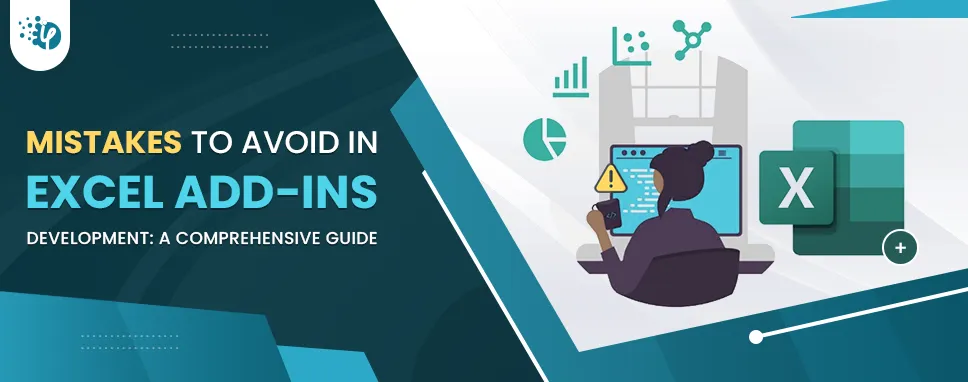
Mistakes to Avoid in Excel Add-ins Development: A Comprehensive Guide

04 August 2023

Kapil Panchal

Mistakes to Avoid in Excel Add-ins Development: A Comprehensive Guide

Excel Add-ins have emerged as a beacon of enhanced productivity and customized solutions in the software world where functionality and innovation collide. These little powerhouses, often referred to as Office 365 plug-ins, are revolutionizing how organizations conduct their operations in the widely used spreadsheet environment.
Office 365 Add-Ins: Off-the-shelf or custom build?

21 June 2023

Kapil Panchal

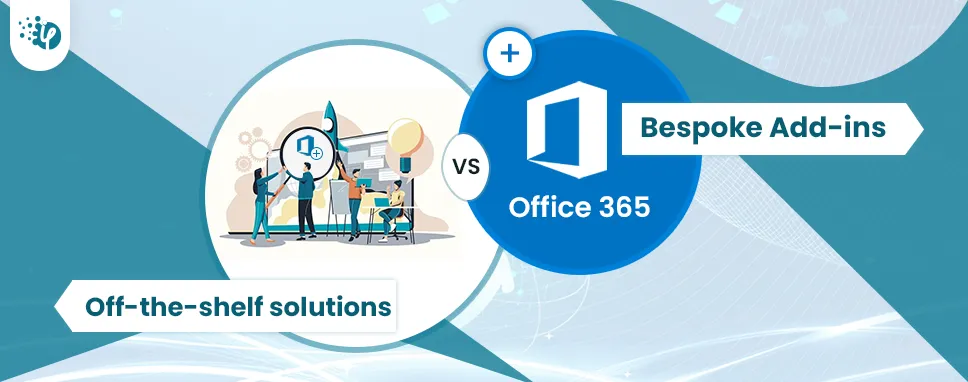
Office 365 Add-Ins: Off-the-shelf or custom build?

Did you know that Office 365 platforms are used by more than 1.3 million organizations worldwide? You might even be surprised to know that 258 million people prefer these platforms...

Security best practices while Outlook Add-in Development: A complete guide

15 June 2023

Kapil Panchal

Security best practices while Outlook Add-in Development: A complete guide

In today's digital age, where communication and efficiency go hand in hand, Microsoft Outlook has become an integral part of business and professional lives. It has a vast user base...