
































































AI in Legal Practice: Powerful Use Cases Every Lawyer Should Know
Quick Summary Lawyers use AI to research faster, draft/review contracts, review large documents, track compliance, and automate legal workflows. However, they must verify...


601 & 612, The Times square Arcade, Near Baghban party plot, Thaltej - Shilaj Road, Thaltej, Ahmedabad, Gujarat - 380059




























2-Hour Remote Assessment
FREE
Legal teams often spend important time creating contracts, reviewing legal documents, managing emails, and handling approvals manually. These repeated tasks can slow down work speed, increase quick result times, and lead to issues across legal documents.
In this assessment, our skills review your current legal workflows, identify chances to automate routine tasks with AI-powered Microsoft Word Add-ins and Outlook add-ins, and provide practical ideas to improve document writing, review, approvals, and legal communication. You will also receive a clear roadmap to help your organization begin using smart technology legal automation.
We begin by understanding how your legal team currently works within Microsoft Word and Outlook.
During this session, we review:
✓ Current legal document drafting and review process
✓ Document management and email workflows
✓ Manual activities slowing productivity
✓ Opportunities for AI, automation, and Office add-ins
Next, we present how AI-powered add-ins and automation can improve legal operations.
Topics include:
✓ AI-assisted contract summarization
✓ Smart clause recommendations
✓ AI-powered legal drafting assistance
✓ Automated approval workflows
✓ Email automation within Outlook
✓ Integration possibilities with modern AI tools
Assessment of your current legal document workflows
Identification of repetitive legal tasks suitable for automation
AI automation opportunities tailored to your legal processes
Recommendations for Word and Outlook AI add-ins
Suggested automation workflows for document approvals and email management
Practical roadmap for implementing AI-powered legal automation
Post-session summary with findings and recommended next steps
Bring it together with our expert Power BI consulting services
Automate critical Healthcare processes with our 2-Hour Power Automate consulting services
Catch patient feedback & sentiments early with our 2-Week Healthcare AI Pilot
Get a quick assessment and unlock what's missing.
Your customers expect instant answers — are you ready to deliver? Book your FREE automation session

Let’s design your first high-impact app in just 2 hours.
Migrate your Excel Add-in to Power BI with our 2-hour expert support.



Transform your Legal processes with iFour's AI Legal Automation Assessment services.
Legal teams looking to simplify document drafting and review
Law firms using Microsoft Word and Outlook for daily legal work
Legal operations teams aiming to improve productivity
IT teams supporting legal technology and Microsoft 365 environments
Business and technology leaders evaluating AI for legal processes

+1 410 892 1119 / +91 95375 81301
See how we've transformed businesses with custom software solutions
Take a look at our latest projects, where digital transformation comes to life.
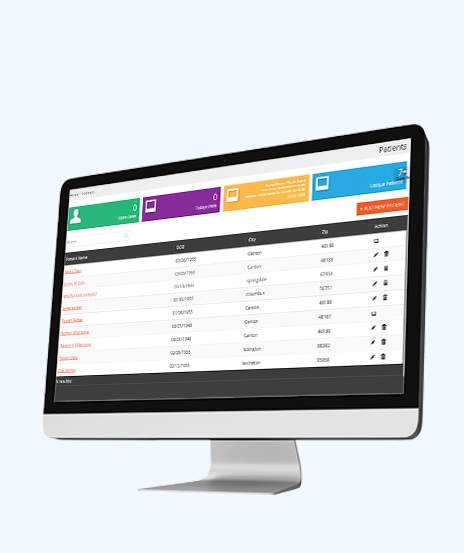
We built this sustainable solution for a leading healthcare consultant based in the USA. Our HIPAA-compliant, centralized, real-time, and robust ERP system is designed to streamline essential operations, ensuring efficiency and compliance in the healthcare sector.
ASP.NET (C#) 4.5 | JQuery | MS SQL Server | Azure
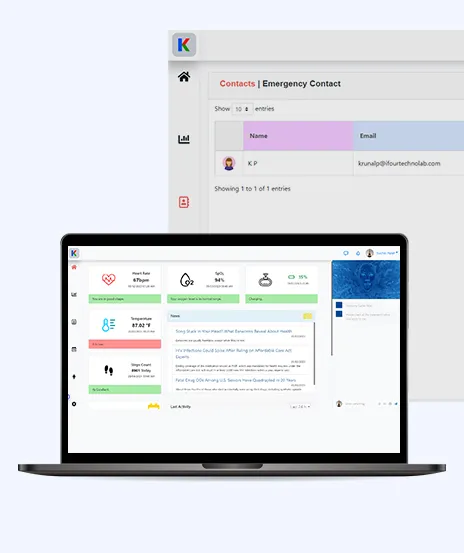
This AI-based project is a smart tracking device for health monitoring. It uses sensors, IoT, Informedica, ChatGPT, and AI to quickly and securely transfer and interpret data. This helps healthcare staff respond quickly to incidents detected by the system.
Angular 14 | .NET Core 6.0 Web API | Azure

We built a Municipality Insurance Management System that uses XML for healthcare solutions. Actions generate XML stored on Blockchain, which can be retrieved on request. Invoices are automatically generated by date, and approved requests add funds as tokens to patients' wallets.
Node.js | C# MVC | Solidity | MongoDB, Azure B2C | Azure

We built a CRM system and a web-based SaaS solution for our Singapore-based client. This system assists them in managing their entire sales life cycle, which helps them become more competitive and enhances their business returns.
PHP 5.x | JavaScript, Jquery, AJAX | MYSQL | Azure
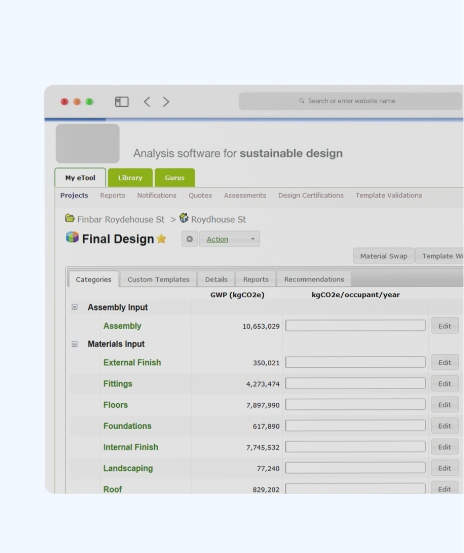
We built this software for our Aus-based construction client which helps to calculate sustainability index of buildings. LCA is about finding the solutions for sustainable future and is impactful in optimizing sustainable design of the built environment.
Microsoft .NET 4.5 MVC | MS SQL Server | Azure

The system offers a dynamic 3D view to manage building components and elements, allowing you to take measurements and gather statistics online without visiting the site in person. Component or element can be anything ranging from window to glass door.
Node.js for REST APIs | Angular 6 | Azure
Yes, this assessment is completely free.
Yes, it is designed for organizations using Microsoft Word and Outlook.
No, you will receive recommendations and a roadmap only.
No, technical knowledge is not required.
Yes, recommendations are tailored to your current workflows.
Yes, you will receive after reviewing summary with findings and next steps.
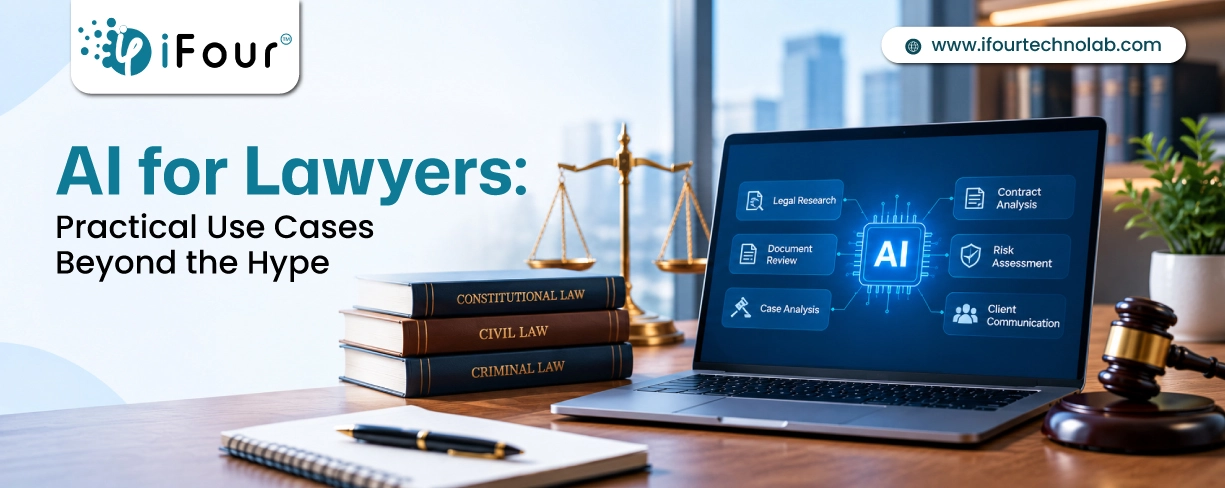
Quick Summary Lawyers use AI to research faster, draft/review contracts, review large documents, track compliance, and automate legal workflows. However, they must verify...
E-Discovery is a crucial process for legal research enabling lawyers to find the digital evidence they need. It involves finding, collecting, and filtering e-data related to their...

It’s amazing to witness that legal consultants who once clung to print documents have now embraced modern technologies for their legal work. In fact, a recent survey revealed that over 72% of law firms employ cloud-based technologies for managing case files, scheduling, and billing. This shift is not just about convenience; it’s about the progress we observe in the legal field.